


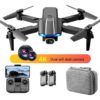
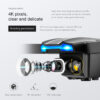
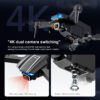
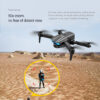
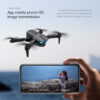
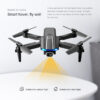
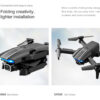
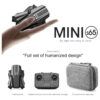
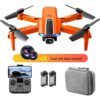
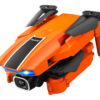
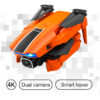
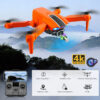
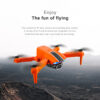
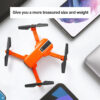
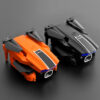
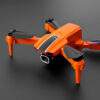
Beautiful body, high hardness ABS shell, super anti-drop, integrated LED lighting
(Spanish instruction manual and Portuguese instruction manual)
—————————- ——– – ————- —————————————————-
Notes before operation: (install the protective ring and test flight in an open place)
1: Operation steps
Put on the protective cover before playing. The protective ring does not need to be locked with screws. Then turn the fan blade by hand to ensure that the fan blade will not touch the protection ring before proceeding to the following steps
1. Turn on the machine first, and the light of the drone is flashing at this time
2. Turn on the remote control, move the joystick on the left side of the remote control up and down once, and hear a beep. The lights of the remote control and the machine are not flashing. This means that the drone can be used before it is connected. The light flashing means that the machine is out of power or the link is unsuccessful.
3. When the drone is connected to WiFi, when the frequency pairing is successful, turn on the WiFi and find the WiFi model of the drone in the linkable WLAN. There is no password for this WiFi. After linking, open the corresponding APP to start video shooting, you cannot open the APP first and then connect to WiFi
4. The flight of the drone controlled by the mobile phone and the flight of the drone controlled by the remote control cannot be carried out at the same time. One of the control signals needs to be turned off, otherwise it will be confused. The flight controlled by the mobile phone is more difficult to control. It is recommended that novices still use the remote control to control
5. The battery of the drone comes with a USB charging cable, which needs to be charged with a computer USB port or a 5V2A charging head.
6. Pay attention to distinguish the AB surface when replacing the fan blade, only need to distinguish A and B, do not need to distinguish the number
Explanation of drone misunderstandings: It is impossible for a drone to stay still in one place. As long as there is airflow, the drone will move randomly. You need to use the remote control to control the direction
To replace the fan blade, you need to read the manual, and replace it according to the letter corresponding to the fan blade on the manual
Novices should learn slowly in an open place, and cant use it too quickly, or it will damage the drone. You must read the manual before playing.
Unskilled for the first test flight, you need to face the camera in the same direction as the human face, and turn on the headless mode.
—————————- ——– – ————- —————————————————-
Altitude adjustment function, folding aircraft, six-channel gyroscope; one-button take-off, one-button landing, ascending and descending, forward and backward, left and right sideways flight, steering, headless mode
(with camera additional functions: gesture photo, video, headless mode, emergency stop, flight follow, gravity sensor, music, 50 times zoom, automatic photo)
Specification:
Remote control batteries AAA3 batteries (not included)
Operation mode Remote control/App control
2.4GHz frequency
6-axis gyroscope
4CH channel
Charging method Universal USB interface
Battery capacity 3.7V 650mAH modular battery
The flight time is about 10-12 minutes
Charging time 40 minutes
The remote control distance is about 80-100 meters
FPV camera mode
Slow/medium/fast 3 speeds
Maximum travel speed 10 km/h
Maximum ascent speed 3 km/h
Working temperature 0-40
Body material ABS
Packing size 17*13*6cm (package)
Body size 16.5*11*4 cm (diagonal size) 9*5.5*4 cm (folded size)
Gross weight 256g (in bag) Standalone + battery: 59g
Applicable mobile phone system: Android 5.0 or above, iOS 9.0 or above
Image transmission distance: 30-40m
Front camera: photo resolution: 4096*2160P, video resolution: 1920*1080p
Image transmission distance: 30-40m
Size: 13*11*4 cm (folded size), 9*5.5*4 cm (folded size)
Drone operation:
Pairing the remote control with the drone:
A. After turning on the power switch of the fuselage, put the drone on a horizontal surface, the indicator light on the remote control and the LED light on the drone will flash.
B. Push the throttle stick up and then pull it back to the lowest point, there will be two beeps, the indicator light and LED light on the remote control will be on, and the frequency binding is completed.
The drone cannot take off vertically, the drone can be corrected:
At the same time, pull the left and right joysticks outward in eight directions, and when you hear a beep, the LED light of the drone will flash quickly. When the indicator light is always on, the calibration is complete. .
When executing the calibration command, it must be executed in a stable state of the horizontal line, otherwise the calibration result will be affected.
Note:
Do not use when there are many WiFi options, there may be signal interference. If you cant connect to the drones Wi-Fi, try unpairing and reconnecting a few times. Any other Wi-Fi questions please contact me.
The APP cannot control the drone: When the APP controls the drone, it cannot be connected or remotely controlled, or the drone needs to be calibrated.
The APP cannot display the image: You need to download the corresponding APP, first connect to the WIFI of the drone, and then confirm to keep the WIFI connection. The mobile phone system should not be too low or too high, because it may not be compatible, please change the mobile phone.
Packing list:
1 Mini RC Drone
1 remote control
1 flight battery
1 USB data cable
4 spare propellers
4 protection rings
1 screwdriver
If you have any questions about the product, please feel free to contact us. There is no need to file a claim. Please contact us for after-sales questions, we will deal with them as soon as possible. Working hours are 9:00-20:00
1 user manual
1 storage bag
Please read the instructions carefully before use, if you are a beginner, it is recommended to ask experienced adults to help you


